
.png)
Please use your Reactec Analytic Credentials
Use the Analytics credentials that you used to log in to this portal to create the authorization header. The infographic below shows the steps involved to create the header and following that, there is a PowerShell example that will create the necessary base64 string.
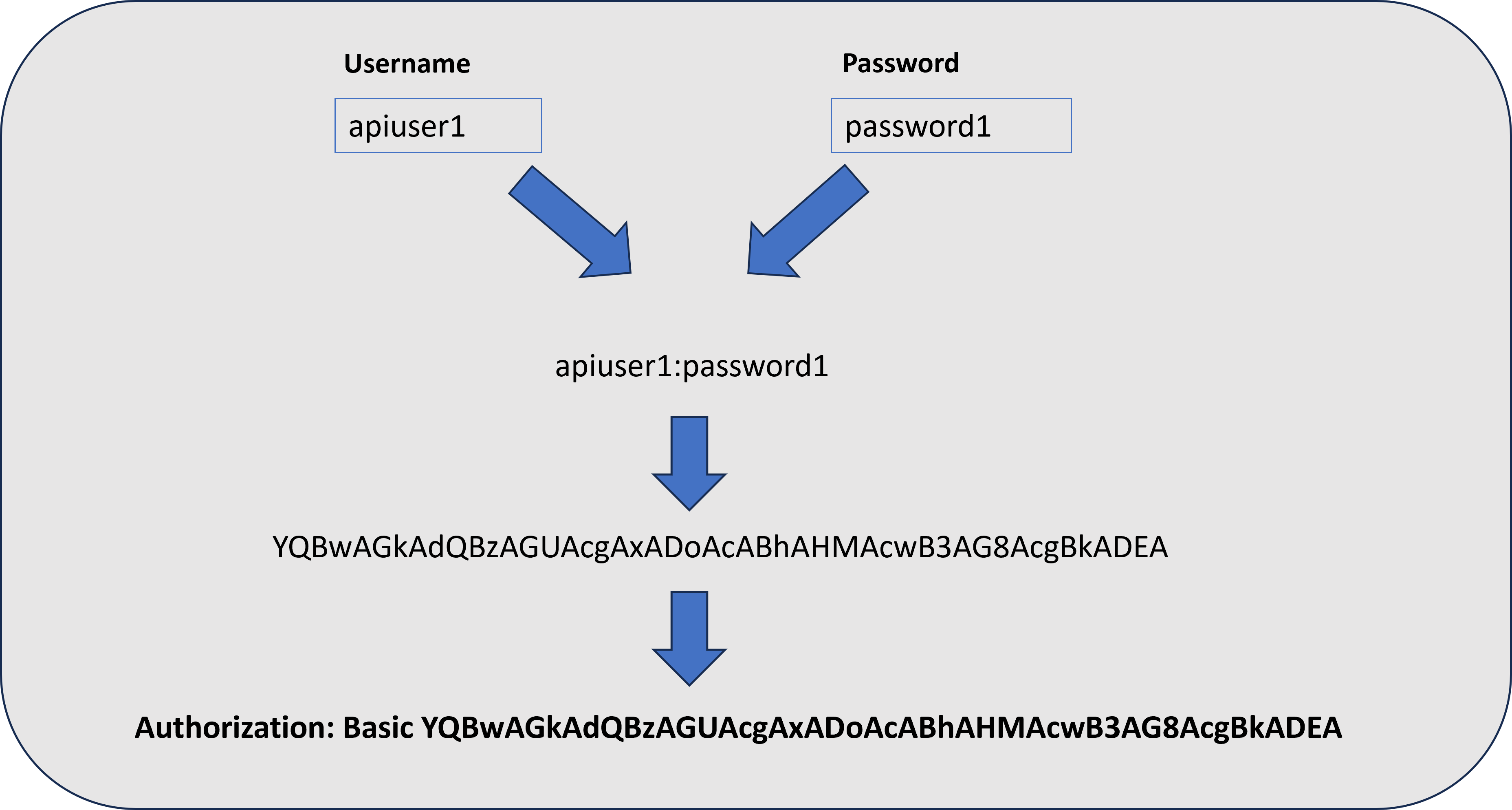
$credential = "apiuser1:password1"$bytes = [System.Text.Encoding]::ASCII.GetBytes($credential)[Convert]::ToBase64String($bytes)
Output:
YQBwAGkAdQBzAGUAcgAxADoAcABhAHMAcwB3AG8AcgBkADEA
Please use your Reactec Analytic Credentials
© Reactec Ltd 2023